What Is Vibe Coding? A Plain-English Guide for Beginners
Vibe coding means building software by directing AI instead of typing code. What it is, what it isn't, and how to start without a tech background.
By VibeGym Team · · Updated
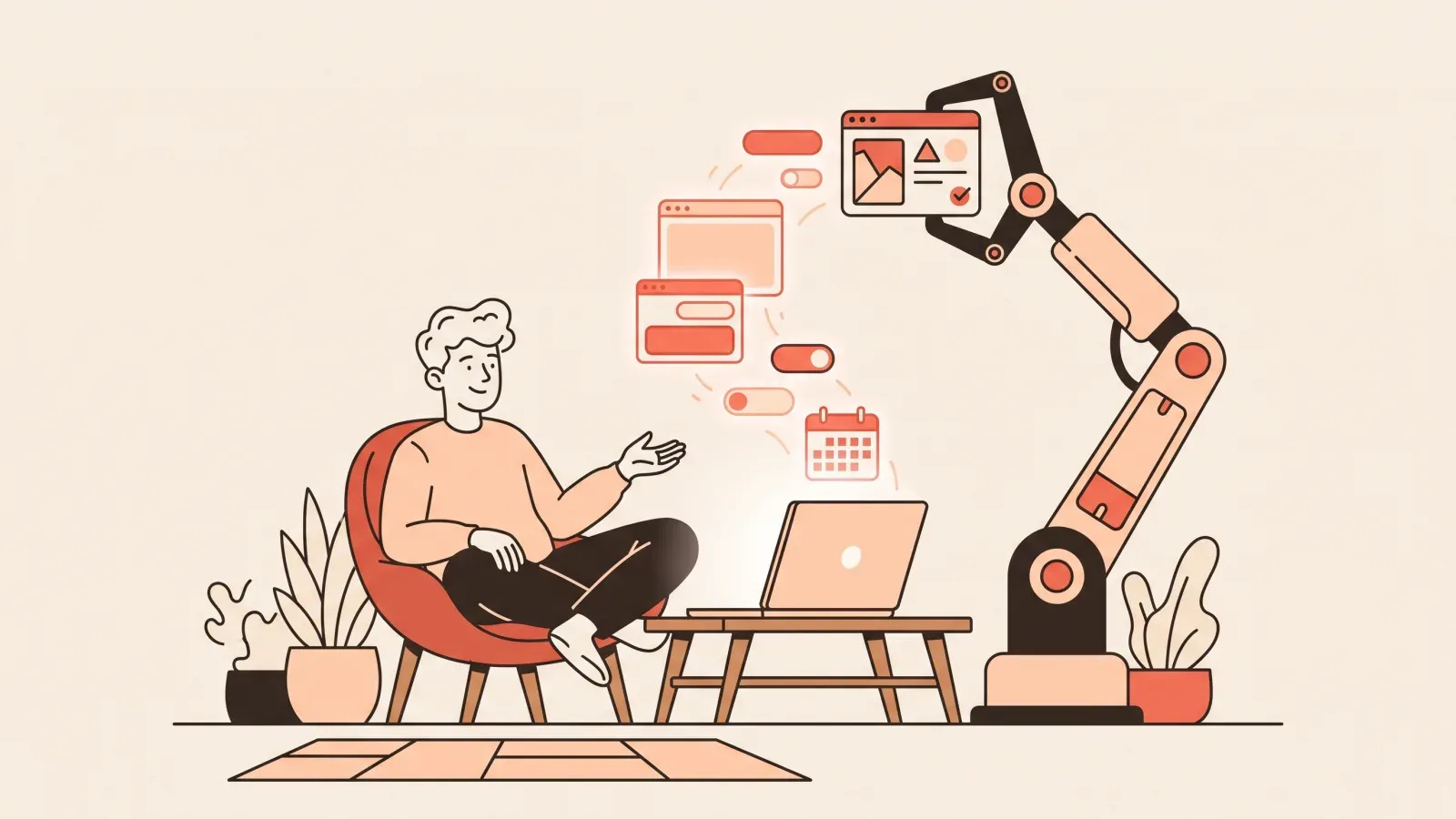
So, what is vibe coding? It is building software by describing what you want to an AI — in plain language — and steering it while it writes the actual code. The term went mainstream in 2025, but the idea is simple: you supply the product judgment, the AI supplies the syntax. You stay in charge of the “what” and the “is this right?”; the machine handles the keystrokes.
If you have ever watched a developer and thought “I understand what they’re trying to do, I just can’t write the code,” vibe coding is the part you were already good at, finally turned into a way to ship real things.
What vibe coding actually means
Instead of memorizing a programming language, you work in a tight loop:
- Describe the thing you want (“a booking page with a calendar and a confirmation email”).
- Let an AI tool like Claude, Cursor, Lovable or Bolt generate it.
- Look at the result, test it, and tell the AI what to change.
- Repeat until it works — then ship it.
The skill is not typing code. It’s knowing what to ask for, how to check the answer, and what to do when something breaks. That mental shift — from “author of every line” to “director who reviews and corrects” — is the whole game.
Where the term came from
The phrase was popularized in early 2025 by AI researcher Andrej Karpathy, who described a way of working where you “fully give in to the vibes” and let the model write the code while you mostly react to it. The label stuck because it captured something people were already doing: leaning on capable coding models, accepting suggestions, and nudging the output instead of crafting every character by hand.
That original framing was deliberately loose and a little tongue-in-cheek — it was about throwaway weekend hacks. What the term has grown into is more serious: a real practice for building products you actually ship and maintain. The people getting durable results are not “fully giving in.” They are directing carefully. So it helps to separate the meme from the method.
A concrete worked example of the build loop
Say you want a simple contact form for your portfolio site. Here is what one turn of the loop looks like in practice.
You start with a clear prompt:
Build a contact form with name, email, and message fields.
Validate that email looks like an email. On submit, show a
"Thanks, I'll be in touch" confirmation. Keep the styling
minimal and match a clean, modern look.
The AI generates the form. You open the preview and try it. It looks right — but when you submit an empty form, nothing happens. So your next turn is a correction, not a brand-new request:
When I submit with empty fields, nothing happens and no error
shows. Add inline error messages under each empty required field,
and don't let the form submit until they're filled.
It fixes that. You test again, type a fake email like “asdf”, and notice it still accepts it. Another turn:
"asdf" is being accepted as a valid email. Tighten the email
check so it requires an @ and a domain, and show "Please enter a
valid email" when it fails.
Three small, observable corrections — not one giant prompt — and you have a working form. Notice the pattern: describe, run, observe, correct. Each message is anchored to something you actually saw. This is why vague mega-prompts underperform and small steps win. If you want to go deeper on writing those corrections well, see how to prompt AI to build an app.
The real skills behind vibe coding
People assume the skill is “writing good prompts.” Prompting matters, but it is one of four instincts that actually move you from broken to shipped.
- Scoping. Breaking a fuzzy idea into a buildable first slice. “A whole CRM” is not a scope; “a page that lists customers from a table and lets me add one” is. Good scoping is what keeps the AI from wandering.
- Prompting. Saying what you want precisely enough that it can’t be misread, and including the constraints that matter (what it should do, what it shouldn’t, how it should look).
- Verifying. Actually checking the result instead of trusting that “it ran.” Click the buttons, submit bad input, look at what the AI changed. AI-generated code that looks finished can still be subtly wrong, and reviewing output you didn’t write is its own muscle worth building.
- Debugging. Staying calm and systematic when something breaks. The difference between a beginner and someone effective is not that the effective person avoids bugs — it’s that they read the error, isolate the cause, and feed the AI the right context.
These four reinforce each other. Tight scoping makes prompting easier; honest verifying surfaces the bugs early; calm debugging turns a stuck afternoon into a five-minute fix. None of them require a computer-science degree. They are instincts you build through reps.
What vibe coding is not
It’s not magic, and it’s not “no thinking required.” AI happily produces broken or insecure code when you give it vague instructions. That’s why the people who get results treat it as a craft: clear scoping, small steps, constant verification.
A few other myths worth clearing up:
- It is not no-code. No-code tools give you fixed visual building blocks; vibe coding generates real, editable code you can take anywhere. The trade-offs are spelled out in vibe coding vs no-code.
- It is not “the AI does everything.” You are the decision-maker. The AI never knows what “good” means for your product — you do.
- It is not a fake skill that disappears when the model changes. The instincts transfer across tools and model versions — judgment outlasts any single editor.
Who vibe coding is for
The honest answer: almost anyone with an idea and a little patience. It is especially useful for people who keep hitting “I’d need a developer for that.”
- Founders and indie makers who want to test an idea before paying to build it.
- Designers who want to make their mockups real and clickable.
- Marketers and operators who want internal tools, landing pages, and small automations without filing a ticket.
- Career switchers and curious beginners who learn faster by building something real than by grinding tutorials.
You do not need a math background or a “coder personality.” If you can describe what you want clearly and you are willing to look at what comes back, you can do this. Non-technical readers may want the gentler on-ramp in vibe coding for non-coders.
How to start vibe coding
You don’t need to install anything exotic:
- Pick one AI building tool and stick with it for two weeks. Tool-hopping is the most common beginner trap. Our comparison of beginner-friendly AI tools is a good starting point.
- Start with a tiny project, like a one-page website or a single form. Finish something small and real before you reach for anything ambitious.
- Practice in small daily reps instead of weekend marathons. Ten focused minutes a day beats a heroic Saturday you never repeat. A structured, build-by-doing path is what how to learn to build apps with AI is about.
This is exactly the model VibeGym is built on: think “Duolingo, but for building apps.” Short daily drills of a few minutes each, spaced repetition, and a streak — across Foundations, Prompting, Debugging and Security — so the four instincts above become automatic. The drills use real AI editors like Claude, Cursor, Lovable and Bolt, and the skills transfer between them. A two-minute quiz personalizes your plan, there’s a free plan forever, and the core track is designed so most people ship a real, deployed website within their first couple of weeks.
Frequently asked questions
Do I need to know how to code first? No. You need to be able to describe what you want and check the result. You will pick up bits of vocabulary as you go, but you do not start by learning a language.
Will I understand the code the AI writes? At first, only roughly — and that’s fine. Over time you start recognizing patterns, which makes your prompts sharper and your debugging faster. Understanding grows from doing, not before it.
Is vibe coding the same as no-code? No. No-code locks you into a platform’s visual blocks; vibe coding produces real code you own and can move elsewhere. The two approaches suit different goals, and it’s worth knowing the trade-offs before you commit to either.
How long until I can build something real? With consistent practice, a small website is a realistic first goal within your first couple of weeks. Bigger apps with logins and a database take longer, but the loop is the same — just more turns.
What do I do when the AI’s code breaks? Read the error, reproduce the problem, and give the AI the specific symptom plus what you expected. Don’t just say “it’s broken” — the routine in how to debug AI-generated code makes this repeatable.
The takeaway
Vibe coding is not a shortcut around thinking — it’s a shortcut around syntax. The keyboard work that used to gatekeep building software is now handled by AI, which means the bottleneck is your judgment: scope clearly, prompt precisely, verify honestly, debug calmly. Those are learnable instincts, and the fastest way to build them is to start small, build something real today, and come back tomorrow.
#vibe coding#ai tools#beginners